30% OFF Your Order Until Sunday! Get Shopping!


Interactive Writing & Drawing Tablet (Free Of Wi-Fi & Bluetooth)
Interactive Writing & Drawing Tablet (Free Of Wi-Fi & Bluetooth)
Couldn't load pickup availability
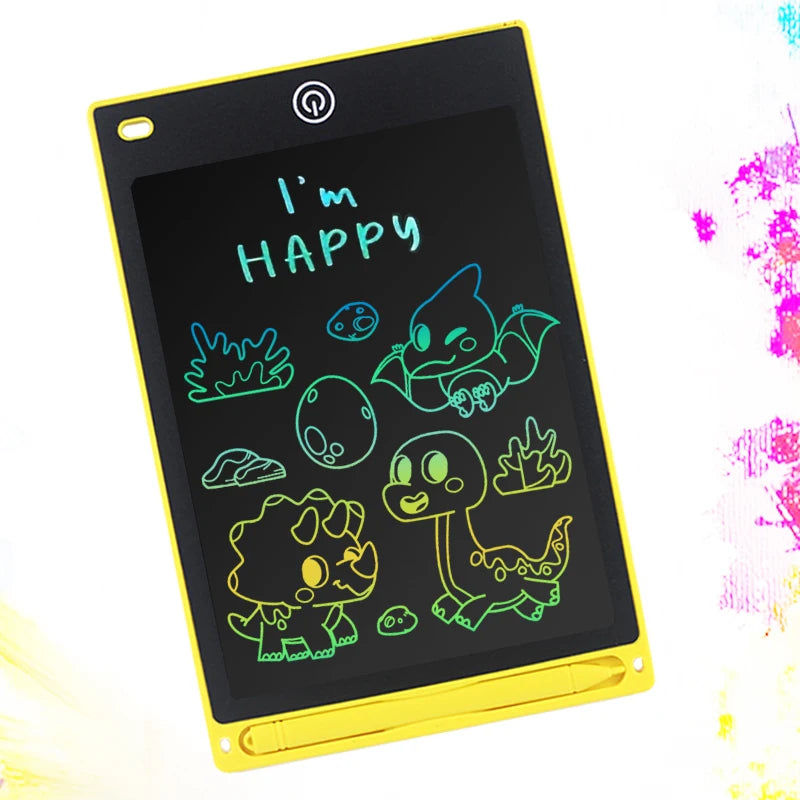
🎨 Simple One‑Button Operation For Easy And Mess‑Free Drawing: The tablet lets kids draw, write, and doodle without paper, ink, or any clean-up, making it perfect for everyday use at home or on the go. Children can unlock the screen, write, erase, and lock their drawings again with simple, intuitive controls designed for young users. This gives them confidence to use the tablet on their own while helping parents enjoy a smoother, more relaxed day.

🤳🏼 Bluetooth Wi-Fi Free Giving Parent Peace of Mind: This tablet doesn’t connect to Bluetooth or Wi‑Fi, so kids can enjoy pure drawing and writing without access to apps, browsers, or outside content. Parents get genuine peace of mind knowing their little ones are safe - no monitoring, setup, or parental controls needed.

🤳🏼 Portable & Lightweight So You Can Keep Your Kids Engaged Everywhere: Its slim 8.5" design slips easily into bags, backpacks, or car seat pockets, giving kids a quiet, creative activity wherever you take them. Whether you're at a restaurant, traveling, or running errands, it keeps little hands busy without adding bulk.

🎨 Find Out More Here 🎨
Q: What Comes With My Writing & Drawing Tablet Order?
A: You receive one LCD writing tablet and one matching stylus, giving your child everything they need to start drawing right away. The stylus attaches securely, so it’s easy to keep track of during busy days.
Q: How Easy Will It Be For Myself Or My Child To Erase The Screen?
A: Simply press the erase button to clear the screen instantly, making it ready for new drawings or notes. Just make sure the lock switch on the back is set to “unlock” so the erase function works properly.
Q: Can I Save My Childs Drawings On Their Tablet To Show Others Later?
A: Yes, sliding the lock button to “lock” prevents accidental erasing, allowing your child to keep their artwork on the screen as long as they like. It’s a simple way to save their favourite doodles without needing apps or storage.